
Download iPad File Explorer – File Management, iOS Device Transfer, Utility Tool
Overview
iPad File Explorer is a specialized utility designed to simplify file management across Apple devices, including iPads, iPhones, and iPod Touch units. The app functions as a bridge between iOS devices and home computers, enabling users to access, organize, and transfer files with the familiarity of managing a USB flash drive. Its core purpose is to eliminate the complexity often associated with file handling on Apple’s closed ecosystem, offering a more direct and intuitive method for managing documents, media, and app data. This makes it particularly valuable for users who frequently move files between their Apple devices and computers, such as creatives, students, and professionals managing digital content.
The app targets individuals seeking greater control over their device’s file system without relying on cloud services or third-party syncing tools. It is especially useful for those who prefer local file transfers for privacy, speed, or offline access. While the developer's background is not publicly detailed, the app’s consistent functionality and long-standing presence since its release on March 6, 2015, suggest a stable and reliable tool within the iOS utility space. Real-world use cases include transferring large video files, backing up project documents, or organizing media libraries directly from a device to a computer.
Within the broader app ecosystem, iPad File Explorer fills a niche often overlooked by Apple’s native tools, which limit file access to specific app sandboxes. By providing a more open and accessible interface, it enhances user autonomy and complements existing workflows. Its enduring relevance underscores a persistent demand for straightforward, no-frills file management solutions tailored to Apple’s mobile hardware.
Key Features & Functionality
- Seamless Device Connection: Users can connect their iOS device to a computer using a compatible cable, and iPad File Explorer automatically detects the device. This eliminates the need for complex setup steps or software installations, streamlining the process of file access.
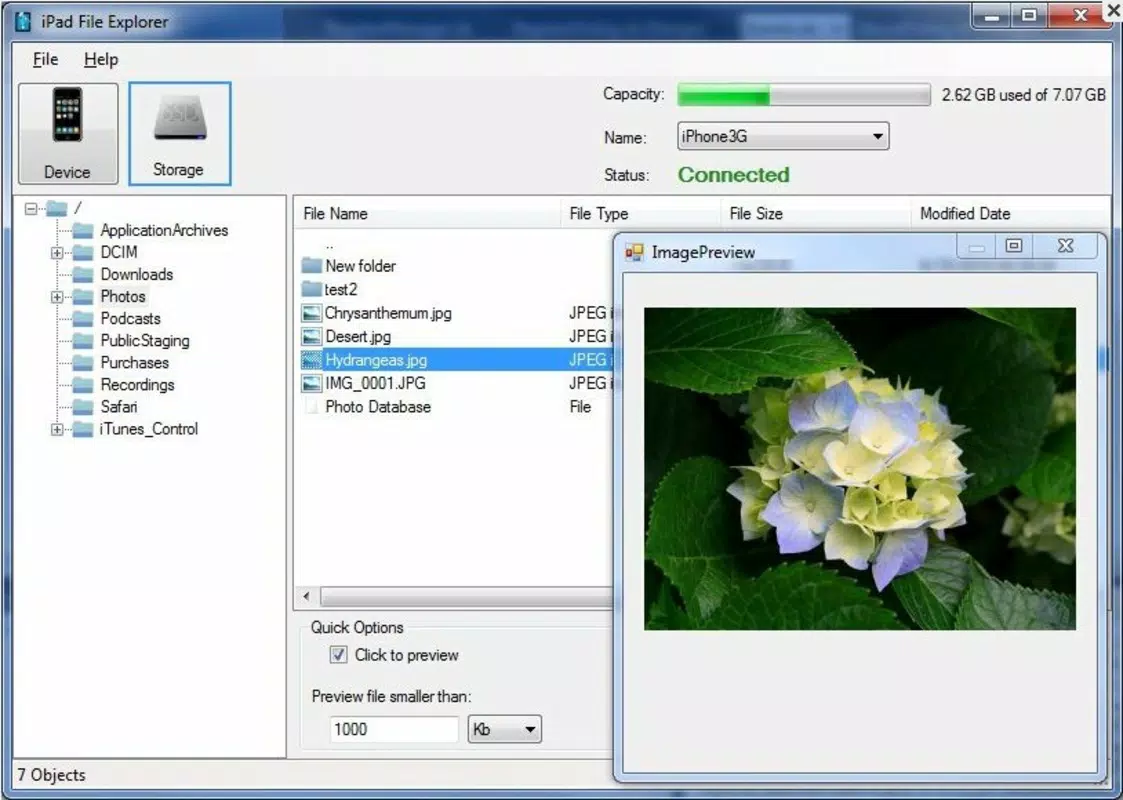
- Customizable Mini Previews: The app displays compact previews of files, allowing users to quickly identify content such as images, documents, or videos. These previews can be manually resized, improving visibility and reducing the time spent searching through file lists.
- Intuitive Interface: Designed with simplicity in mind, the app features a clean layout that supports easy navigation through folders, apps, and file types. Even users unfamiliar with file systems can manage their data without confusion.
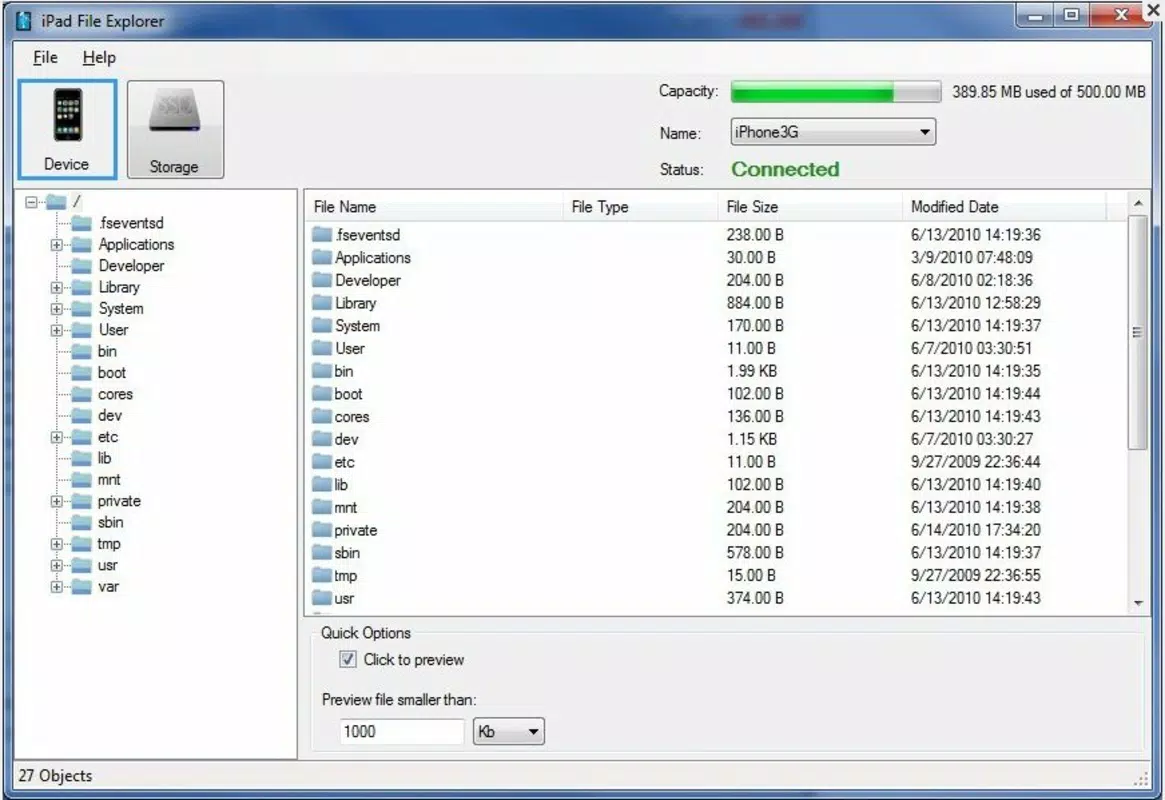
- Centralized File Management: All files, apps, and folders on the connected iOS device are accessible in one unified interface. This allows for efficient organization, deletion, or transfer of files between the device and computer, mimicking the experience of using a removable drive.
- Device-Specific Optimization: Built exclusively for Apple’s portable devices, the app ensures compatibility with iOS-specific file structures and permissions, minimizing errors during transfers and maintaining data integrity.
For example, a photographer might use the app to transfer RAW image files from an iPad to a desktop for editing, while a student could move lecture notes or research documents between devices. The ability to manage files directly without cloud dependency enhances both privacy and workflow efficiency.
Interface, UX & Performance
iPad File Explorer features a minimalistic, clean interface that prioritizes usability over visual flair. The layout is organized into clear sections—device list, file browser, and preview panel—ensuring users can locate and manage files with minimal effort. Navigation is linear and predictable, relying on standard folder hierarchy and intuitive icons, which reduces the learning curve for new users.
The app’s responsiveness is consistent across device categories, though specific performance metrics were not disclosed by the developer. Although the developer did not list formal performance metrics, user reports indicate stable operation during file transfers and minimal lag during browsing. The interface adapts well to different screen sizes, maintaining readability and functionality on both smaller and larger displays.
Stability appears to be a strength, with no widespread reports of crashes or data corruption. However, the app’s reliance on physical cable connections means performance may vary slightly depending on cable quality and port compatibility. The absence of in-app notifications or progress indicators for file transfers is a minor limitation, but the overall experience remains smooth and dependable for routine file management tasks.
Platform Compatibility & Technical Requirements
iPad File Explorer is designed for use with Apple’s portable devices, including iPads, iPhones, and iPod Touch units. It operates on the iOS platform and requires a compatible cable for connection to a home computer. The app’s file size and software version are not publicly listed, and the developer did not specify minimum OS requirements.
Compatibility information was not fully disclosed, so users should ensure their device supports direct file transfer via USB. While the app has been available since 2015, updates may be infrequent, and future compatibility with newer iOS versions cannot be confirmed without official documentation. Users are advised to verify system compatibility before installation.
Pros and Cons
Pros
- Simple, intuitive interface suitable for all user skill levels
- Effortless file access via direct cable connection
- Customizable mini previews enhance file identification
- Centralized management of files, apps, and folders
- Works without cloud services or third-party syncing
Cons
- Requires a physical cable for connection; no wireless support
- Developer did not provide OS version or file size details
- No in-app progress tracking for file transfers
- Compatibility with newer iOS versions not confirmed
- Limited to Apple devices; not available on Android or desktop platforms
FAQ
Is iPad File Explorer safe to use?
The app is designed to access files through standard USB connections, and no third-party permissions are required. As long as users connect to trusted computers, the risk of data exposure is minimal.
Can I use iPad File Explorer without a computer?
No. The app requires a connection to a home computer via cable to function. It is not designed for standalone use on iOS devices.
Does iPad File Explorer support wireless file transfer?
Based on available information, the app relies solely on physical cable connections. Wireless transfer capabilities are not currently supported.
Is the app available for Android or Windows?
There is no indication that iPad File Explorer is available on Android or Windows. It is designed specifically for Apple devices and functions through a computer interface.
How often is iPad File Explorer updated?
The update frequency is not publicly disclosed. The app has been available since 2015, and while it remains functional, the developer has not provided details on future updates.
Final Thoughts
For users seeking a reliable, no-nonsense tool to manage files on their Apple devices, iPad File Explorer delivers a practical and efficient solution. Its straightforward interface, direct cable-based access, and customizable previews make it a valuable asset for anyone who needs to transfer or organize files without relying on cloud platforms. While it lacks modern features like wireless connectivity or frequent updates, its core functionality remains effective and stable.
Those who prioritize privacy, speed, and local file control will find the app particularly beneficial. It’s ideal for creatives, educators, and professionals managing large media or document libraries. Despite its age, the app continues to serve a clear need in the iOS ecosystem.
Download iPad File Explorer now


